Overview
By default your listings are open to buyers in every country. If you only want to sell to buyers in certain countries, choose them in your settings. Buyers elsewhere no longer find your listings in marketplace search, and they cannot make an offer, buy now or message you about them.
Buyers in the country a listing is collected from can always buy it, even if that country is not on your list.
Choose your countries
You need to be an owner of a supplier account to change this setting.
- Go to Settings → Organization.
- Find Where you sell and select Edit.
- Choose Selected countries. Your organization's country is added for you.
- Select Add country to search for and add more countries. Select the × on a country to remove it.
- Select Save.

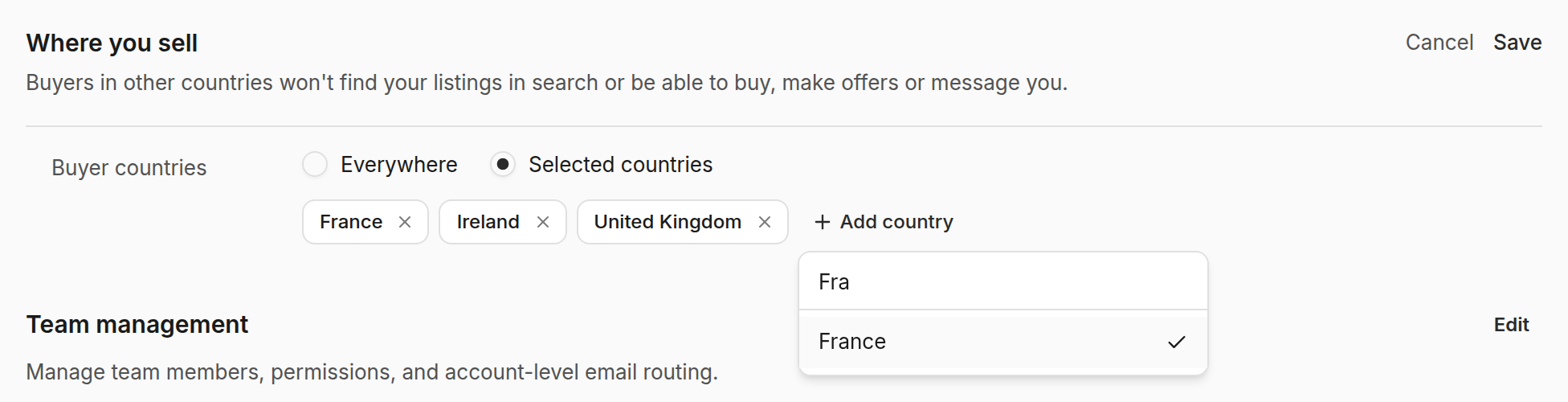
To open your listings to every country again, choose Everywhere and save.
What buyers see
Buyers in other countries do not see your listings in marketplace search results. If they open a listing from a direct link, the offer panel shows a short note that the listing is not available in their country, instead of the buy and offer buttons.
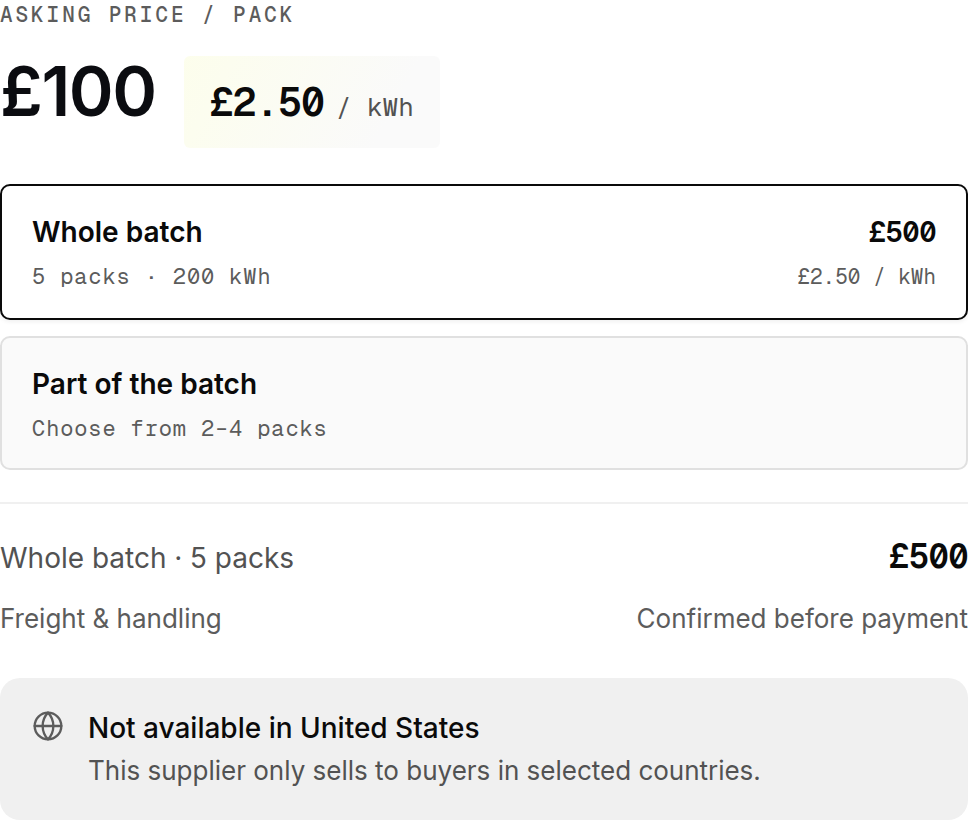
A buyer's country is the one shown in the marketplace header. It starts from their location, and they can change it there.
Good to know
- The setting applies to every listing on your account.
- Changes reach the marketplace within a few minutes.
- At checkout the buyer's delivery address decides. A buyer whose address is outside your countries cannot pay, even for an offer you accepted.
- Existing conversations stay open.